I combined several files into a PDF last month without thinking about order. The result was a mess—the conclusion came before the introduction, supporting documents appeared before the main content, and nothing flowed logically. I had to redo the entire combination, which took twice as long as it should have. That experience taught me how critical file order is.
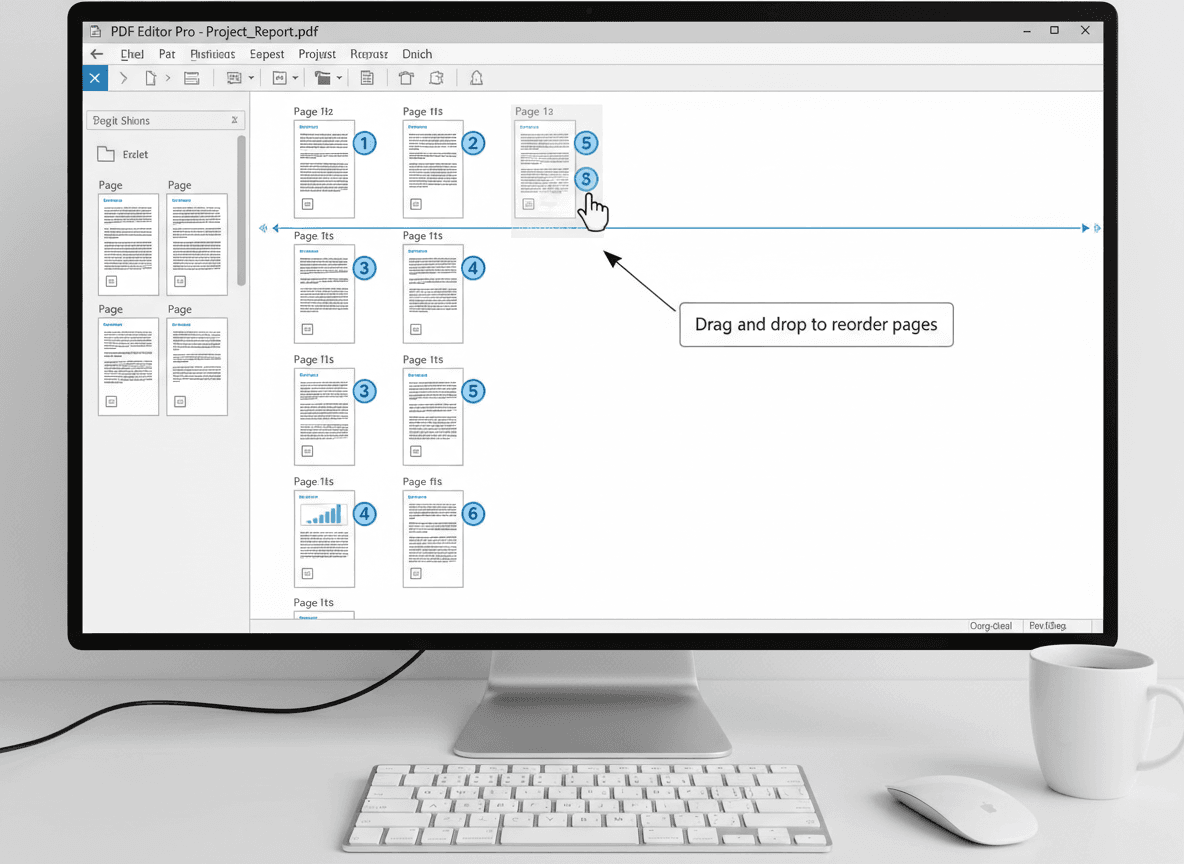
Our Multi to PDF tool makes arranging files in the right order simple. The order you combine files into a PDF matters. A document that flows logically is much more professional and useful than one with content in random order. Getting the order right the first time saves you from having to reorganize later. Understanding why order matters and how to plan it effectively helps you create documents that serve their purpose with our tool.
Planning your file order before combining helps you create a document that makes sense and serves its purpose. Our Multi to PDF tool lets you easily arrange files in the order you want. The few minutes spent planning order saves time and produces better results. Let me show you how to arrange files effectively with our tool.
Why Order Matters
Logical flow makes documents useful. Documents should flow logically from beginning to end, guiding readers through information in a way that makes sense. A document that jumps around randomly is confusing and hard to follow. Logical organization helps readers understand and use the information.
Professional appearance depends on organization. Well-organized documents look more professional and polished. A document with content in logical order appears thoughtful and well-prepared. Random order suggests carelessness and reduces credibility.
Ease of use improves with good organization. Readers can follow the document easily when it's well-ordered. They don't have to jump around searching for information—it flows naturally. This makes documents more useful and reduces frustration.
Purpose should guide order. The order should serve the document's purpose. A proposal needs different organization than a report, and a portfolio needs different structure than a manual. Understanding your document's purpose helps you choose the right order.
Common Order Patterns
Chronological order arranges content by time. You might arrange content from oldest to newest, or newest to oldest, depending on your purpose. This works well for historical documents, project timelines, or sequential processes. Time-based organization is intuitive and easy to follow.
By importance prioritizes key content. Most important content comes first, with supporting content following. This ensures readers see critical information immediately. It works well for proposals, summaries, or documents where some content is more important than other content.
By topic groups related content together. Related information appears in the same section, making it easier to find and understand. This works well for documents with multiple subjects or when you want to keep similar content together. Topic-based organization improves clarity.
By section creates clear document structure. Organize into clear sections like introduction, main content, appendices, and references. This standard structure helps readers navigate and understand document organization. Section-based organization is familiar and professional.
Standard document structure follows conventional patterns. Title page, table of contents, main content, appendices, and references follow a familiar pattern that readers expect. This structure works for formal documents, reports, or documents that need to follow conventions.
Best Practices for File Order
Plan before combining to avoid mistakes. Decide the order before you start combining files. Write it down, create a list, or organize files in a folder. Planning prevents random order and ensures logical flow. A few minutes of planning saves time and produces better results.
Think about the reader's perspective. Arrange content in a way that makes sense for the reader, not just for you. What order would help them understand the information? What would they expect to see first? Reader-focused organization improves document effectiveness.
Group related content together. Keep related information in the same section or adjacent sections. This makes documents easier to navigate and understand. Don't scatter related content throughout the document—group it logically.
Use clear sections to organize content. Divide your document into clear, logical sections with distinct purposes. This helps readers navigate and understand structure. Clear sections make long documents more manageable.
Check the flow before finalizing. Review the planned order to ensure it flows logically. Does the progression make sense? Would a reader understand the organization? Adjust if needed. Flow checking prevents organizational problems.
Test the order with a sample. Combine a few files first to test the order before combining everything. This lets you verify that the order works and make adjustments if needed. Testing prevents having to redo entire combinations.
Common Mistakes to Avoid
Random order creates confusion. Combining files without thinking about order produces documents that are hard to follow. Readers have to jump around searching for information, which reduces usefulness. Always plan order before combining.
Not planning leads to problems. Starting to combine without planning the order first often results in poor organization. You might realize the order is wrong after combining, requiring redoing the work. Planning prevents these problems.
Ignoring logic hurts usability. Arranging files in a way that doesn't make logical sense confuses readers and reduces document effectiveness. Even if the order seems convenient for you, consider whether it makes sense for readers. Logic should guide organization.
Not checking can miss problems. Not reviewing the final order before finalizing can leave organizational issues undetected. Always review the combined document to verify order and flow. Checking catches problems before distribution.
Getting File Order Right
I've seen too many documents where files were combined in random order, and the result looks unprofessional. File order matters. Our Multi to PDF tool makes arranging files in the right order simple. A document that flows logically is much more useful than one with content scattered randomly. The difference between well-organized and poorly organized documents is significant.
Plan your order before combining with our tool. Think about logical flow. Group related content together. Organize into clear sections. Our Multi to PDF tool lets you easily arrange files in the order you want. It takes a few minutes of planning, but it results in a much better final document. The time investment in planning pays off in document quality.
The key is thinking about how the document will actually be read and used. What order makes sense for your reader? Arrange files accordingly with our Multi to PDF tool. With proper planning and our tool, you can create well-organized documents that serve their purpose effectively. Without planning, you'll end up with a document that confuses readers and fails to serve its purpose.
Ready to arrange your files in the right order? Try our Multi to PDF tool now and see how easy it is to combine files in the perfect sequence.